
Platform
API keys, the Data API & inbound webhooks with Neon API
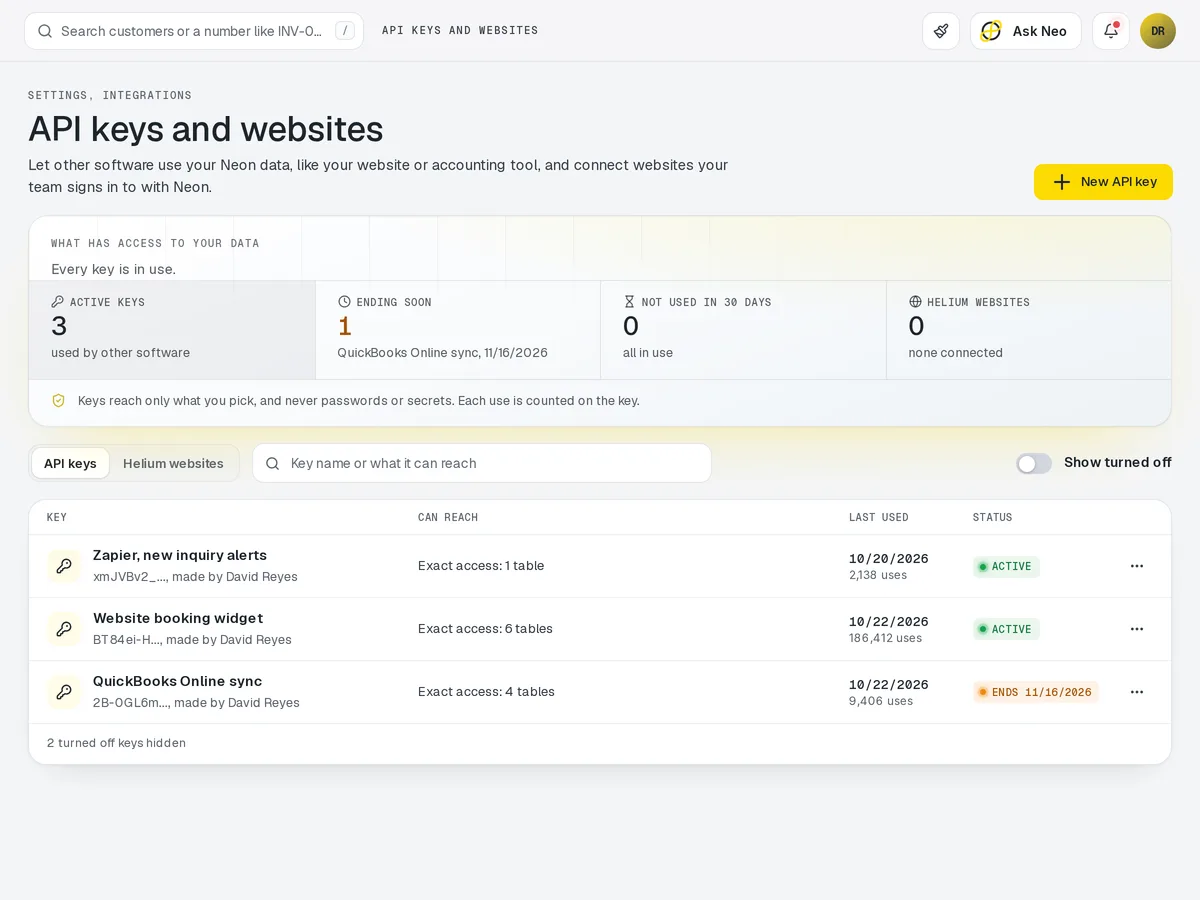
Open Neon to the rest of your tools. Generate API keys, read and write your records through the Data API, and receive inbound webhooks from the systems you already use, whether that is an outside point of sale, a BI tool or an app of your own.
API that's connected from the first record
Open Neon to the rest of your tools. Generate API keys, read and write your records through the Data API, and receive inbound webhooks from the systems you already use, whether that is an outside point of sale, a BI tool or an app of your own.
How it works
Your records, open to your tools.
- Step 1Key created
Scoped to just what the integration needs.
- Step 2Records read & written
Through the Data API, for every module.
- Step 3Webhooks received
From your point of sale, BI tool or own app.
- Step 4One set of records
What comes in lands in the same database as everything else.
API · 4 features
Every feature you need, all in a single system.
- 01
API keys
Generate a separate API key for each integration you connect to Neon.
- 02
Data API
Read and write your Neon records from your own apps or BI tools.
- 03
Inbound webhooks
Receive inbound webhooks from the systems you already use, like an outside point of sale.
- 04
Access to every module's records
Every module's records are open to your tools, not locked inside one screen.
What makes API in Neon fit your business?
All of it is configured from the admin panel. No developer, no plugin, no second tool.
- API keys per integration
- Webhook endpoints
API works with the rest of Neon
Nothing gets re-entered between them.
Or just ask Neo.
Press ⌘CtrlK on any screen and say what you want. Neo finds the screen, reads your live numbers and fills the form in. You press submit.
Check out other Neon features:
Inventory
Track stock, manage products, automate reorder points.
Learn moreRentals
Combos, options, rules & automated billing.
Learn moreBookings
Combos, options, scheduling & confirmations.
Learn moreEmployees
Staff records, time clock, scheduling & PTO.
Learn moreDeliveries
Route planning, tracking & real-time updates.
Available in Texas only today
Learn moreShipping
Rates, labels & tracking for orders that ship.
Learn moreIt's time to run API on one login.
Every account starts with a short conversation. Tell us what you run and we'll set it up with you.