
Sell & get paid
Product pages, carts, checkout & orders with Neon Storefront
Launch a full online store without a separate platform. Publish products with rich media, manage variants and pricing, and give customers a smooth cart-to-checkout experience.
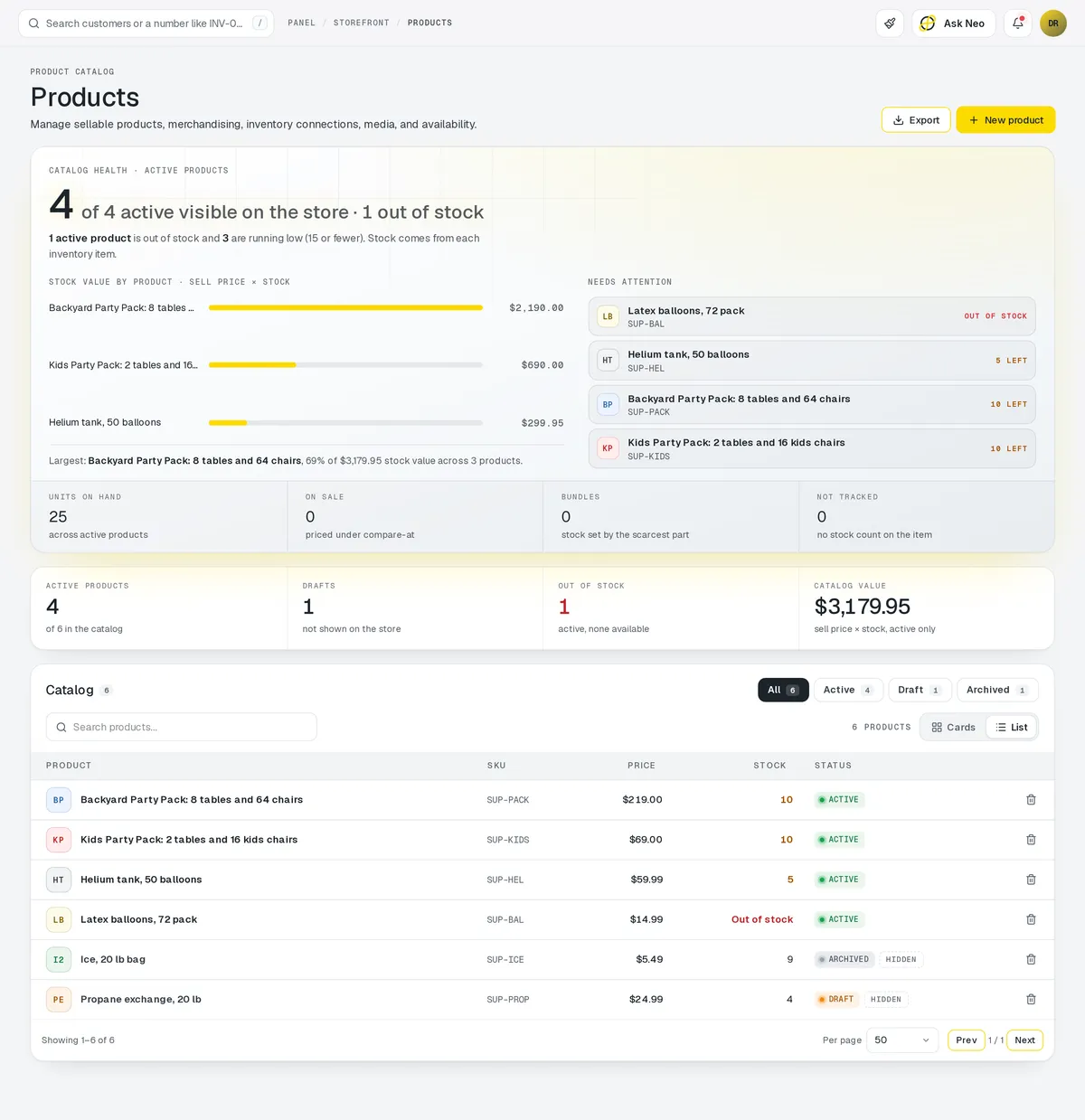
Storefront that's connected from the first record
Launch a full online store without a separate platform. Publish products with rich media, manage variants and pricing, and give customers a smooth cart-to-checkout experience. Every sale automatically updates Inventory, triggers Delivery workflows, and generates an Invoice.
Storefront is one of the 3 primaries: the module your plan is built around.
How it works
One sale, and everything it sets off.
- Step 1Product published
Photos, variants and price, on the same item Inventory counts.
- Step 2Customer checks out
Cart to payment on your own site.
- Step 3Stock comes off
Inventory drops the moment the order is paid.
- Step 4Invoice raised
The order generates its own invoice.
- Step 5Fulfillment starts
The paid order starts its delivery workflow.
Storefront · 4 features
Every feature you need, all in a single system.
- 01
Product catalog & media
Publish products with rich media, variants and pricing without a separate platform.
- 02
Cart & checkout flow
Customers move from cart to checkout smoothly, with the payment methods you choose.
- 03
Order management
Every sale starts its delivery workflow and generates an invoice on its own.
- 04
Automatic inventory sync
Each sale updates Inventory automatically, so your stock count never needs double entry.
What makes Storefront in Neon fit your business?
All of it is configured from the admin panel. No developer, no plugin, no second tool.
- Product page layouts & themes
- Custom checkout fields
- Configurable payment methods
- Shipping rule builder
- Promo code & coupon engine
- Branded order confirmation emails
Storefront works with the rest of Neon
Nothing gets re-entered between them.
Or just ask Neo.
Press ⌘CtrlK on any screen and say what you want. Neo finds the screen, reads your live numbers and fills the form in. You press submit.
Check out other Neon features:
Auction
Timed online auctions, bidding & winner invoicing.
Learn moreInvoicing
Generate, send & track invoices.
Learn moreInventory
Track stock, manage products, automate reorder points.
Learn moreRentals
Combos, options, rules & automated billing.
Learn moreBookings
Combos, options, scheduling & confirmations.
Learn moreEmployees
Staff records, time clock, scheduling & PTO.
Learn moreIt's time to run Storefront on one login.
Every account starts with a short conversation. Tell us what you run and we'll set it up with you.