
Run your operations
Staff records, time clock, scheduling & PTO with Neon Employees
Run the team from the same panel as everything else. Keep staff records in one place, let people clock in and out, build and publish schedules, and track PTO and timesheets without a separate payroll spreadsheet.
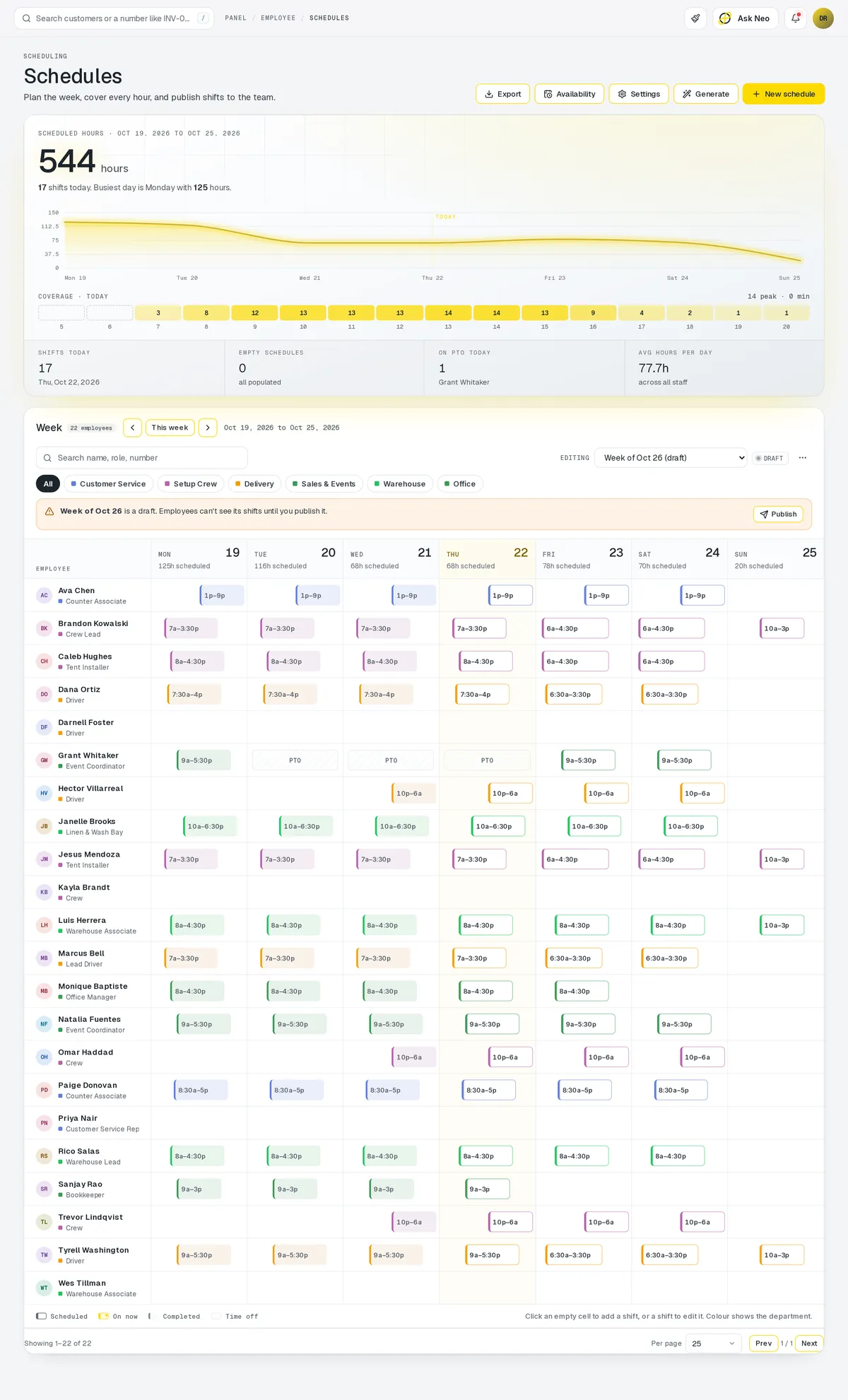
Employees that's connected from the first record
Run the team from the same panel as everything else. Keep staff records in one place, let people clock in and out, build and publish schedules, and track PTO and timesheets without a separate payroll spreadsheet. Roles decide what each person can see and do, and the same team list feeds the booking calendar and driver assignment.
How it works
One week, schedule to timesheet.
- Step 1Schedule published
Build the week on the shift grid and publish it.
- Step 2Hours clocked
Staff clock in and out against their shifts.
- Step 3Time off decided
Requests come to you to approve or deny.
- Step 4Timesheets totalled
Hours and PTO add up without a payroll spreadsheet.
- Step 5Everything else follows
Booking calendars and driver lists read the same team.
Employees · 4 features
Every feature you need, all in a single system.
- 01
Staff records & roles
Keep staff records in one place, with roles deciding what each person sees.
- 02
Time clock
Your team clocks in and out in the same panel as everything else.
- 03
Scheduling
Build and publish schedules that also feed the booking calendar and driver assignment.
- 04
PTO & timesheets
Track PTO and timesheets without keeping a separate payroll spreadsheet on the side.
What makes Employees in Neon fit your business?
All of it is configured from the admin panel. No developer, no plugin, no second tool.
- PTO accrual rules
- Pay periods & billable hours
- Schedule generator
- Role permission sets
Employees works with the rest of Neon
Nothing gets re-entered between them.
Or just ask Neo.
Press ⌘CtrlK on any screen and say what you want. Neo finds the screen, reads your live numbers and fills the form in. You press submit.
Check out other Neon features:
Inventory
Track stock, manage products, automate reorder points.
Learn moreRentals
Combos, options, rules & automated billing.
Learn moreBookings
Combos, options, scheduling & confirmations.
Learn moreDeliveries
Route planning, tracking & real-time updates.
Available in Texas only today
Learn moreShipping
Rates, labels & tracking for orders that ship.
Learn morePickup
Order online, collect in store, with ready-for-pickup alerts.
Learn moreIt's time to run Employees on one login.
Every account starts with a short conversation. Tell us what you run and we'll set it up with you.