
Run your operations
Combos, options, scheduling & confirmations with Neon Bookings
Perfect for service-based businesses. Create combo deals that bundle services together at a special price, let customers pick add-on features like premium upgrades or extended sessions, and offer configurable options like therapist preference, room type and group size.
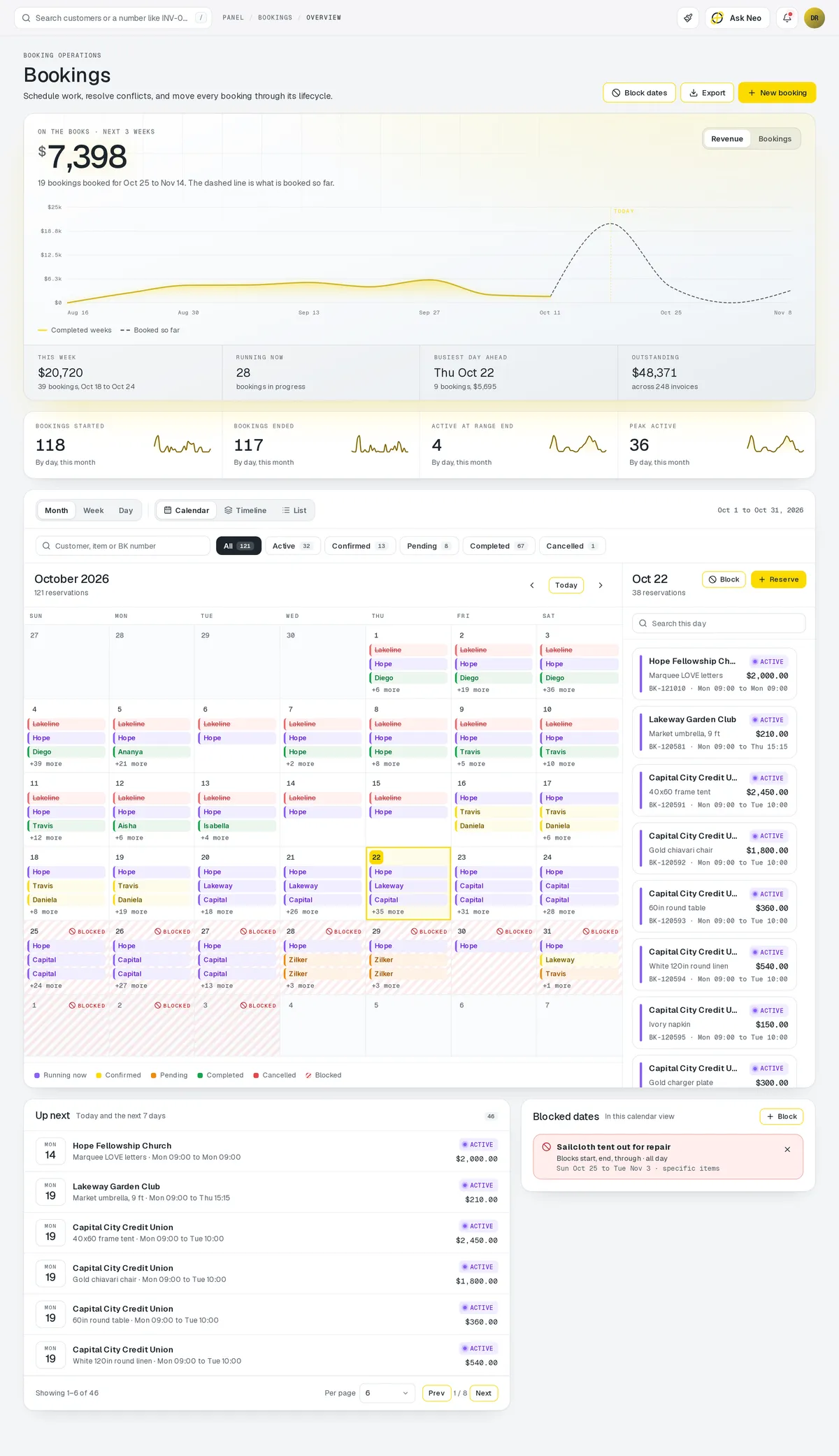
Bookings that's connected from the first record
Perfect for service-based businesses. Create combo deals that bundle services together at a special price, let customers pick add-on features like premium upgrades or extended sessions, and offer configurable options like therapist preference, room type and group size. Attach custom metadata to any booking for internal tracking, apply discount rules based on loyalty, time of day, or promo codes, and enforce scheduling constraints automatically. Customers pick a time slot, get instant confirmation, and receive automated reminders. Staff calendars update in real time, and no-show tracking helps you optimize over time.
Bookings is one of the 3 primaries: the module your plan is built around.
How it works
From open slot to finished appointment.
- Step 1Services & hours set
What you offer, who does it, and when they can be booked.
- Step 2Customer picks a slot
Only times a staff member is actually free are offered.
- Step 3Confirmed
Instant confirmation, and the staff calendar updates.
- Step 4Reminded
Before the appointment, on the interval you chose.
- Step 5Attended or no-show
Either way it's recorded, and no-shows are tracked.
Bookings · 4 features
Every feature you need, all in a single system.
- 01
Online appointment booking
Customers pick a time slot and get an instant confirmation, no phone call needed.
- 02
Automated reminders
Automated reminders go out on the schedule you set, before every appointment.
- 03
Staff calendar sync
Staff calendars update in real time the moment a customer books a slot.
- 04
No-show tracking
Track no-shows over time and set the policies that cut them down.
What makes Bookings in Neon fit your business?
All of it is configured from the admin panel. No developer, no plugin, no second tool.
- Service combo bundles at special pricing
- Add-on upgrades (premium, extended, VIP)
- Configurable options (therapist, room, group size)
- Promo & loyalty discount rules
- Cancellation & no-show policies
- Reminder interval configuration
- Buffer time between appointments
Bookings works with the rest of Neon
Nothing gets re-entered between them.
Or just ask Neo.
Press ⌘CtrlK on any screen and say what you want. Neo finds the screen, reads your live numbers and fills the form in. You press submit.
Check out other Neon features:
Inventory
Track stock, manage products, automate reorder points.
Learn moreRentals
Combos, options, rules & automated billing.
Learn moreEmployees
Staff records, time clock, scheduling & PTO.
Learn moreDeliveries
Route planning, tracking & real-time updates.
Available in Texas only today
Learn moreShipping
Rates, labels & tracking for orders that ship.
Learn morePickup
Order online, collect in store, with ready-for-pickup alerts.
Learn moreIt's time to run Bookings on one login.
Every account starts with a short conversation. Tell us what you run and we'll set it up with you.