
Grow your customers
Campaigns, updates & customer messaging with Neon Outreach
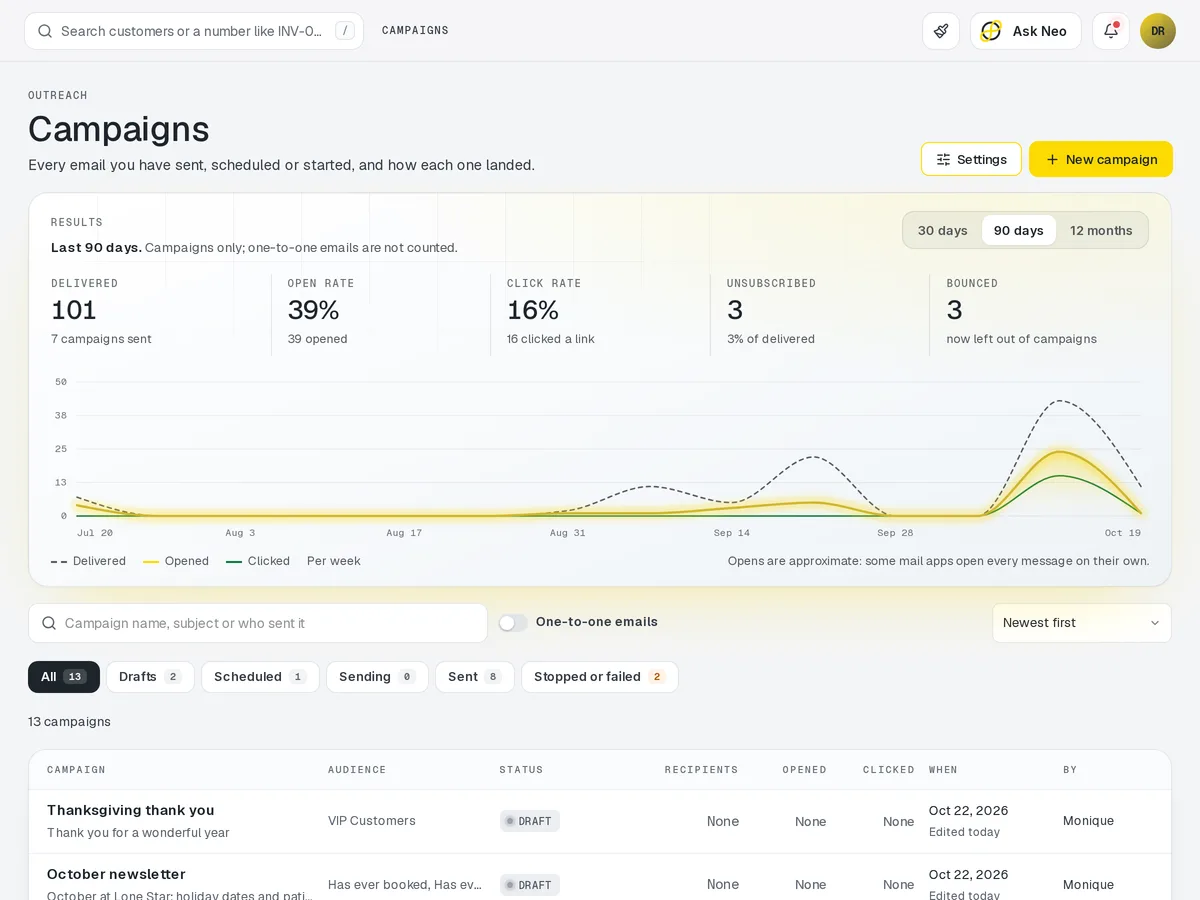
Talk to your customers from the system that already knows them. Build a segment out of anything Customers holds, whether that is lapsed accounts, VIPs, or everyone with a rental due back on Friday, and send it an email or an SMS on your own template.
Outreach that's connected from the first record
Talk to your customers from the system that already knows them. Build a segment out of anything Customers holds, whether that is lapsed accounts, VIPs, or everyone with a rental due back on Friday, and send it an email or an SMS on your own template. Campaigns are the marketing half. The other half is the quiet one, where a status update goes out on its own because a record changed. Consent, opt-outs and reply routing are handled for you, and every send lands back on the customer's timeline beside the orders and contracts it belongs to.
How it works
From segment to sent to replied.
- Step 1Audience chosen
Any segment Customers holds.
- Step 2Message written
Email or SMS, from one of your templates.
- Step 3Sent in your window
Quiet hours and opt-outs respected.
- Step 4Opens, clicks & replies tracked
Per campaign and per person.
- Step 5Back on the record
Every send lands on the customer's timeline.
Outreach · 4 features
Every feature you need, all in a single system.
- 01
Email & SMS campaigns
Send email or SMS campaigns on your own templates from the system that knows your customers.
- 02
Segment-targeted sends
Target lapsed accounts, VIPs or anyone with a rental due back on Friday.
- 03
Triggered status updates
Status updates go out on their own whenever a record changes, with nobody pressing send.
- 04
Open, click & reply tracking
See who opened, clicked and replied to every send, with replies routed back to you and logged on the customer's timeline.
What makes Outreach in Neon fit your business?
All of it is configured from the admin panel. No developer, no plugin, no second tool.
- Campaign & message templates
- Trigger rules (booked, shipped, due back, lapsed)
- Send windows & quiet hours
- Consent, opt-out & unsubscribe handling
- Sender identity & reply-to routing
- A/B split testing and audience caps
Outreach works with the rest of Neon
Nothing gets re-entered between them.
Or just ask Neo.
Press ⌘CtrlK on any screen and say what you want. Neo finds the screen, reads your live numbers and fills the form in. You press submit.
Check out other Neon features:
Customers
Profiles, history & preferences. A full CRM.
Learn moreSEO
Meta tags, sitemaps & search optimization.
Learn moreBlog
Publish articles, news & company updates.
Learn moreInventory
Track stock, manage products, automate reorder points.
Learn moreRentals
Combos, options, rules & automated billing.
Learn moreBookings
Combos, options, scheduling & confirmations.
Learn moreIt's time to run Outreach on one login.
Every account starts with a short conversation. Tell us what you run and we'll set it up with you.