
Sell & get paid
Generate, send & track invoices with Neon Invoicing
Create professional invoices in seconds, send them via email or SMS, and track payment status in real time. Set up automatic reminders for overdue balances and get a clear financial picture with built-in reporting.
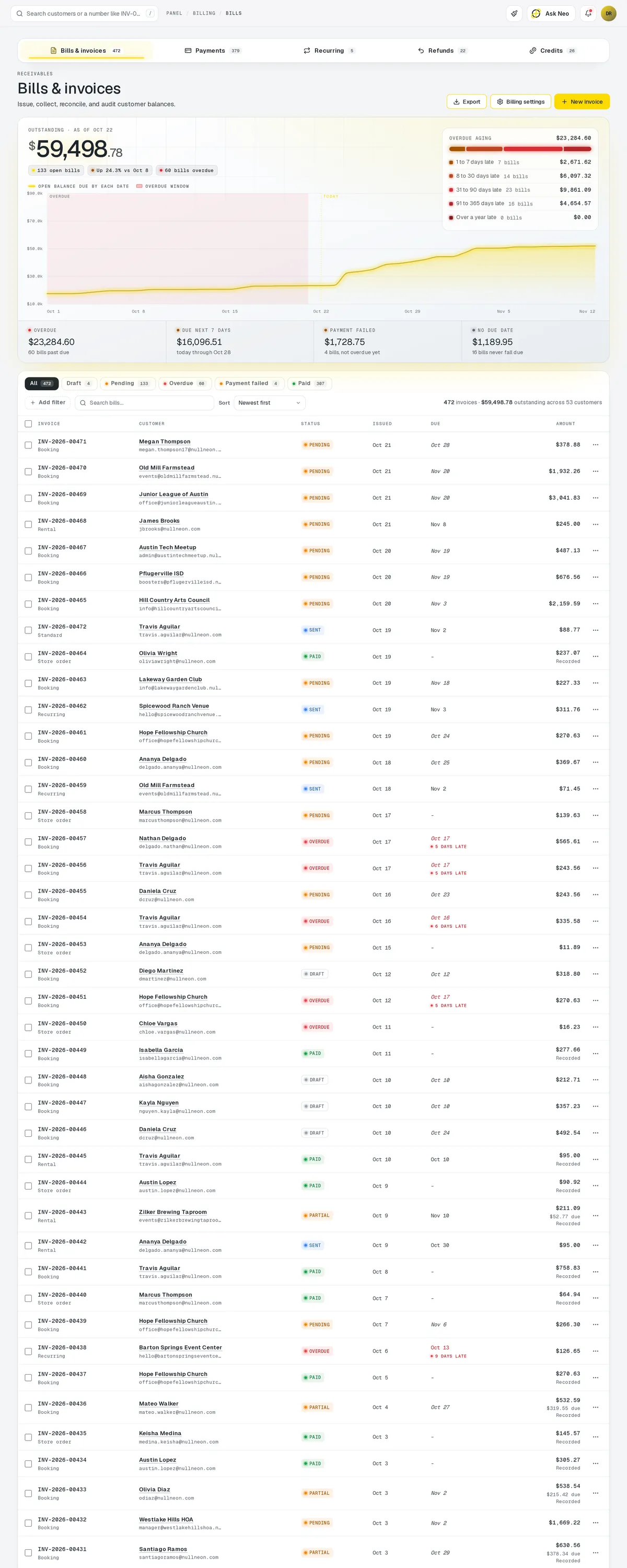
Invoicing that's connected from the first record
Create professional invoices in seconds, send them via email or SMS, and track payment status in real time. Set up automatic reminders for overdue balances and get a clear financial picture with built-in reporting. Connects to Stripe for seamless online payments.
How it works
From send to paid, mostly without you.
You raise the invoice. Sending, reminding and closing it out happen on the schedule you set.
- Day 0Invoice raised
From the order, the rental or the booking. Nothing re-keyed.
- Day 0Sent
Email and SMS, on your template, with a Stripe link attached.
- Day 7First reminder
Unpaid, so it goes again. You are not chasing it.
- Day 12Second reminder
Same schedule, and the balance is flagged in reporting.
- Day 13Paid
Customer opens the link and pays. The record closes itself.
Invoicing · 4 features
Every feature you need, all in a single system.
- 01
One-click invoice creation
Create a professional invoice in seconds and send it by email or SMS.
- 02
Automatic payment reminders
Overdue balances get automatic reminders on the schedule you choose, so you stop chasing.
- 03
Stripe payment links
Customers pay online through Stripe, and payment status updates in real time.
- 04
Financial reporting
Built-in reporting gives you a clear picture of what's paid and what's owed.
What makes Invoicing in Neon fit your business?
All of it is configured from the admin panel. No developer, no plugin, no second tool.
- Invoice template designer
- Custom payment terms & due dates
- Tax rule configuration
- Company branding & logo placement
- Reminder schedule customization
- Multi-currency support
Invoicing works with the rest of Neon
Nothing gets re-entered between them.
Or just ask Neo.
Press ⌘CtrlK on any screen and say what you want. Neo finds the screen, reads your live numbers and fills the form in. You press submit.
Check out other Neon features:
Storefront
Product pages, carts, checkout & orders.
Learn moreAuction
Timed online auctions, bidding & winner invoicing.
Learn moreInventory
Track stock, manage products, automate reorder points.
Learn moreRentals
Combos, options, rules & automated billing.
Learn moreBookings
Combos, options, scheduling & confirmations.
Learn moreEmployees
Staff records, time clock, scheduling & PTO.
Learn moreIt's time to run Invoicing on one login.
Every account starts with a short conversation. Tell us what you run and we'll set it up with you.