
Fulfillment
Rates, labels & tracking for orders that ship with Neon Shipping
Send orders anywhere a carrier goes. Rates are worked out at checkout from the weights and sizes on your products, labels print straight from the order, and the tracking number reaches the customer the moment it's created.
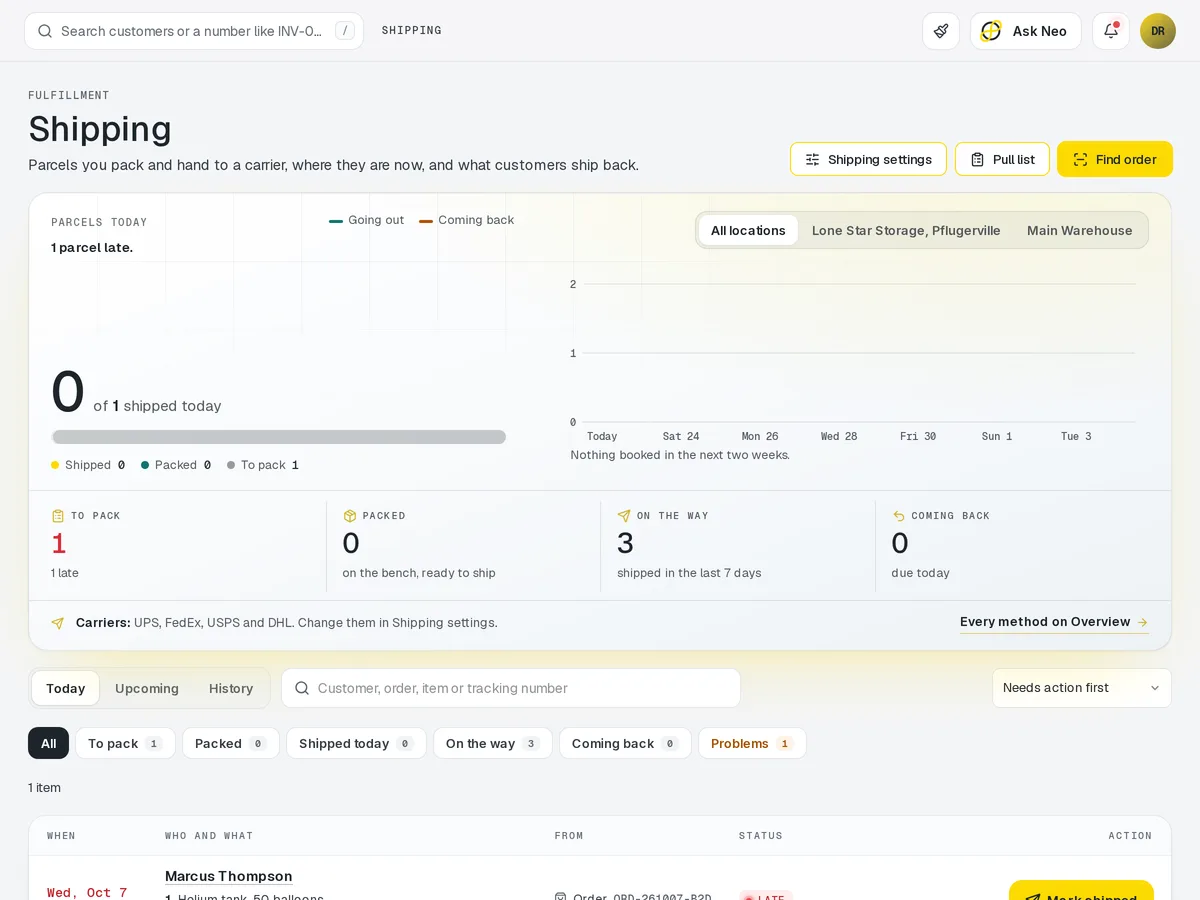
Shipping that's connected from the first record
Send orders anywhere a carrier goes. Rates are worked out at checkout from the weights and sizes on your products, labels print straight from the order, and the tracking number reaches the customer the moment it's created. Every parcel ships from the same stock count the Storefront sells from, and its tracking lands on the customer's timeline beside the order it belongs to.
How it works
From paid order to tracking number.
- Step 1Order paid
It arrives in the queue with the rate chosen at checkout.
- Step 2Label printed
Straight from the order, at your preset package size.
- Step 3Stock comes off
From the same count the Storefront sells from.
- Step 4Tracking sent
To the customer the moment the label exists.
- Step 5On the timeline
Tracking sits on the customer's record beside the order.
Shipping · 4 features
Every feature you need, all in a single system.
- 01
Rates at checkout
Rates are worked out at checkout from the weights and sizes on your products.
- 02
Label printing
Print shipping labels straight from the order, with nothing to retype elsewhere.
- 03
Tracking sent to customers
The tracking number reaches your customer the moment the label is created.
- 04
Ship from any location
Ship from any of your locations, all counted against the same stock numbers your Storefront sells from.
What makes Shipping in Neon fit your business?
All of it is configured from the admin panel. No developer, no plugin, no second tool.
- Shipping zones & rate tables
- Free-shipping thresholds
- Package presets & dimensions
- Packing slip templates
- Tracking email & SMS templates
Shipping works with the rest of Neon
Nothing gets re-entered between them.
Or just ask Neo.
Press ⌘CtrlK on any screen and say what you want. Neo finds the screen, reads your live numbers and fills the form in. You press submit.
Check out other Neon features:
Deliveries
Route planning, tracking & real-time updates.
Available in Texas only today
Learn morePickup
Order online, collect in store, with ready-for-pickup alerts.
Learn moreAccess
UniFi door and gate access for staff and customers.
Learn moreInventory
Track stock, manage products, automate reorder points.
Learn moreRentals
Combos, options, rules & automated billing.
Learn moreBookings
Combos, options, scheduling & confirmations.
Learn moreIt's time to run Shipping on one login.
Every account starts with a short conversation. Tell us what you run and we'll set it up with you.